딥러닝 하려면 데이터 라벨링이 (반)필수 이다.
(Zero-shot들도 있지만 그건 너무 크기가 크니까!)
그래서 labeling 을 해야되는데 옛날에는 Labelme LabelImg 이런걸 써서 했다면 요즘은 Label-Studio라고 아주 좋은 툴이 있다.
Open Source Data Labeling | Label Studio
A flexible data labeling tool for all data types. Prepare training data for computer vision, natural language processing, speech, voice, and video models.
labelstud.io
위 홈페이지에서 설치방법을 확인하고 진행하면 되는데
pip install label-studio 하고
label-studio를 terminal에 입력하면 끝이다 설치도 쉽고 쓰기도 쉽다.
문제는 그냥 사용하면 localfile을 사용할 수 없다.
이유는 이 SW 자체가 Web 기반이라서 Cloud Server에서 데이터를 가져오도록 설계되어 있기 때문이다.
적절한 방법은 Cloud에서 가져오는거겠지만 나처럼 작은 프로젝트, 파일럿 프로젝트 간단하게 할때는 그렇게 까지 할 필요가 있나....
그래서 local storage에서 쓰는법을 정리한다.
난 삽질을 좀 했는데 생각보다 간단하다.
https://labelstud.io/guide/storage.html#Local-storage
Label Studio Documentation — Cloud and External Storage Integration
Label Studio Documentation for integrating Amazon AWS S3, Google Cloud Storage, Microsoft Azure, Redis, and local file directories with Label Studio.
labelstud.io
여기를 보자

꼼꼼하게 살펴보고 해야된다.
우선 label-studio를 실행하기 전에
export LABEL_STUDIO_LOCAL_FILES_SERVING_ENABLED=true
위 명령어를 터미널에서 실행하던지 .bashrc에 넣자
LABEL_STUDIO가 Local file에 접근하는걸 허용하겠다는 변수를 잡아주는거다.
그 다음
label-studio를 실행한다.
그리고 프로젝트를 만든 다음

그 안에서 세팅을 클릭한다.
그리고 이렇게 이동
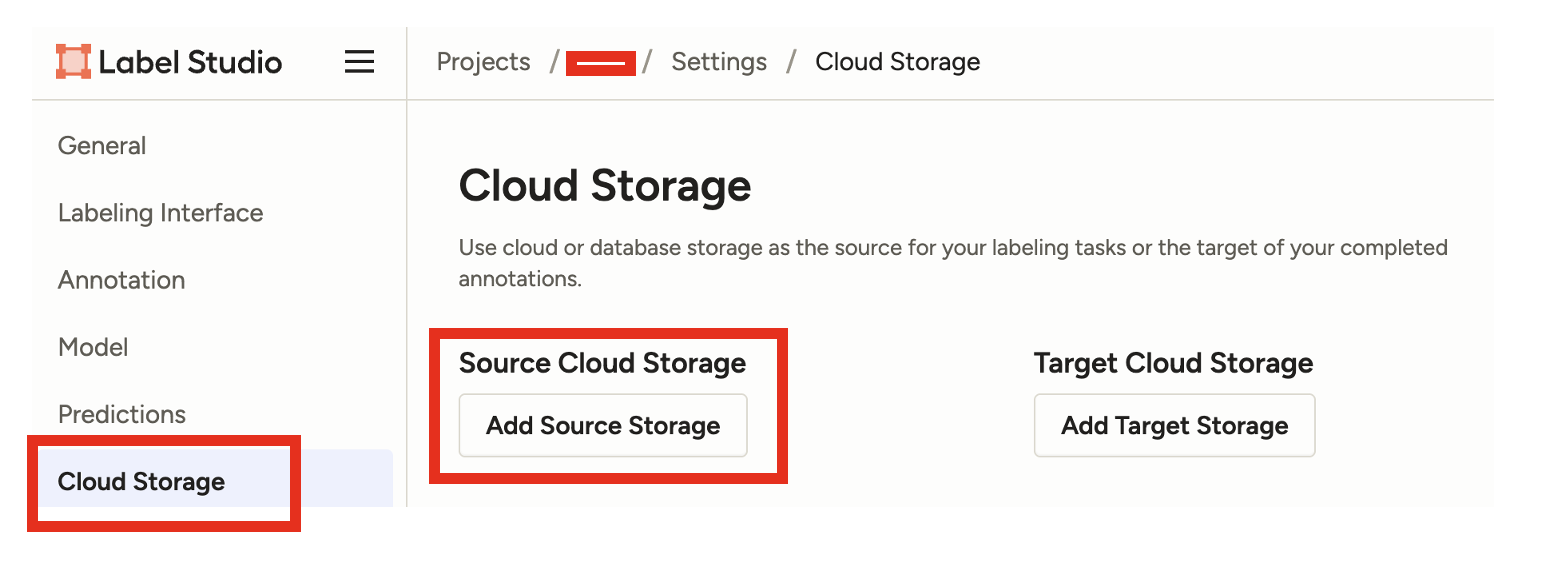
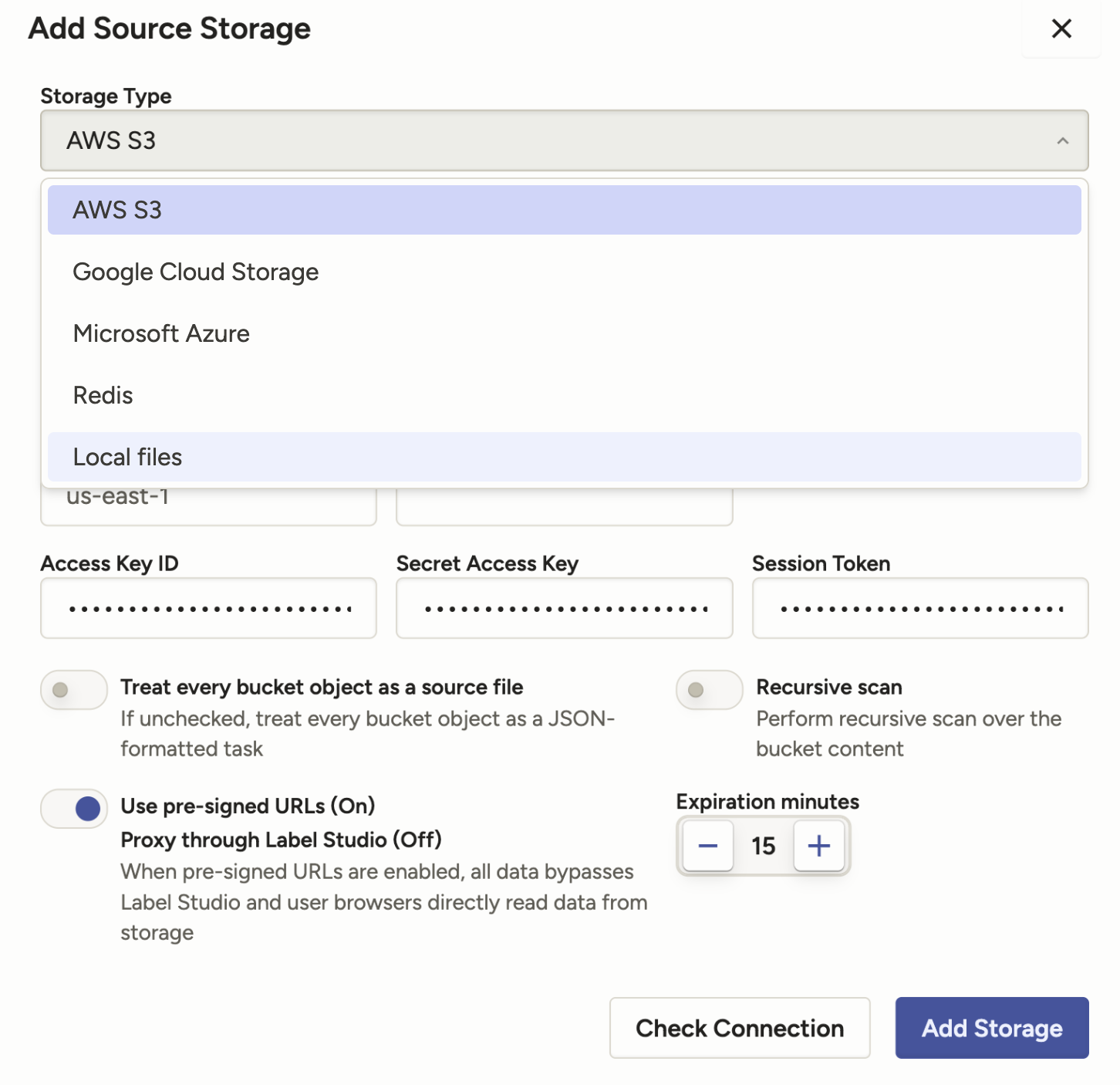
잘 선택하고

빈공간 잘 채우고 꼭 빨간 박스를 클릭하자
저거 안하면 파일 load가 안된다.
그리고 나면

아래 처럼 박스가 하나 생기는데 Sync Storage를 누르면 불러와 진다.
Project로 돌아가보자
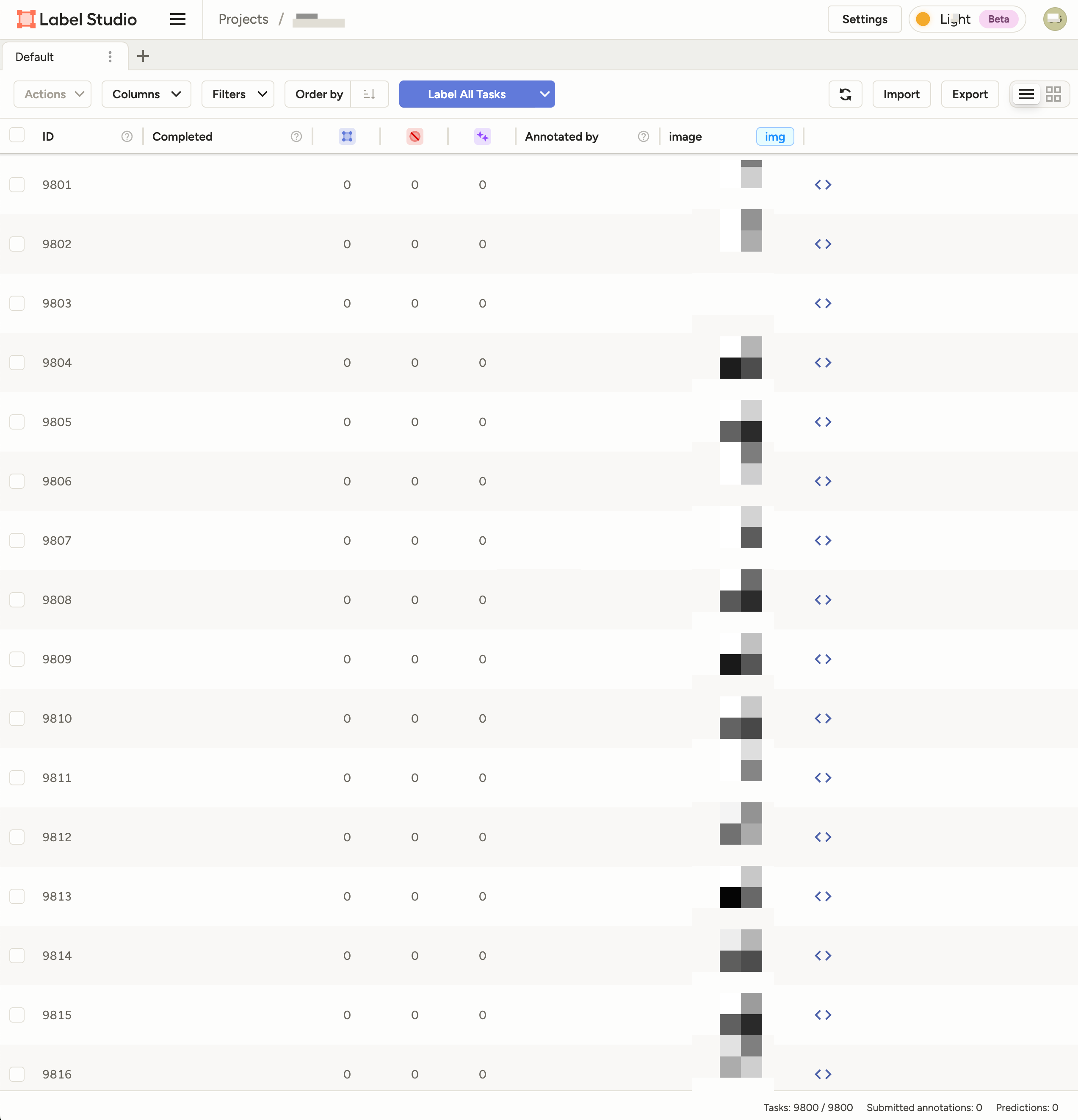
라벨링 툴이 많이 발전해서 참 쓰기가 좋다.
API 연동해서 Auto labeling도 되는거 같던데 시도해보면 좋을것 같다.
'sw' 카테고리의 다른 글
| PaddleOCR 한국어 OCR 하기 (0) | 2025.09.22 |
|---|---|
| micropython은 time.time대신 ntptime.time으로 timestamp를 찍자 (raspberry pico2w, esp32) (0) | 2025.09.03 |
| Claude-code 설치 및 사용 in Macbook (3) | 2025.07.31 |
| raspberry pi pico 2w watchdog 사용하기 (1) | 2025.07.31 |